The product
Know the work. Down to the last detail.
A connected workspace for the office, a focused experience for the field, and a service history that gets more useful with every visit.
Your Home
See the day. Shape your workspace.
Review service flow, field activity, revenue, and items needing attention. Choose a period and arrange the cards around how you work.
Good morning, Ellen
Thu, Oct 15 · 12 jobs todayGross revenue
Last 30 days
+18.4%vs previous period
Service flow
- Completed
- 154
- Scheduled
- 39
- Pending
- 15
- Follow-up
- 6
Needs attention
Pest pressure
of inspections found activity
↓ 3.2 pts vs prior 30 daysField activity
Ellen Park52 done · 12 ahead
Jamie Cole46 done · 10 ahead
Alex Morgan39 done · 8 ahead
Sam Rivers31 done · 6 ahead
Recurring services
- 48
- Active
- 3
- Overdue
- 2
- Ending
- 12
- Due soon
Upcoming ServOS Home · Interactive demo with fictional data. Try the chart controls or arrange the cards.
Unit & device history
Find the record. Follow the story.
A unit has its own visits and treatments. A device has its own inspections. Open either without searching through an entire property’s work orders.
Alderwyn Residences
12 Alderwyn Lane · Toronto, ON
Unit 204
Alderwyn Residences
ServOS property workspace · Fictional records. Unit history includes scheduled visits; device history contains recorded inspections.
Customers & properties
The real shape of your accounts.
Connect customers and contacts to their service locations. Model properties, buildings, units, and groups so a technician can find the exact space that needs attention.
- Customer and contact records
- Properties, buildings, units, and groups
- Location-specific service context
Alderwyn Residences
12 Alderwyn Lane · Commercial property
Illustrative product record · fictional data
Agreements & scheduling
Recurring work, with structure.
Define services and cadence on an agreement. Schedule the visits, assign the team, and adjust the schedule as the account changes. Keep the agreement’s services connected to each visit.
- Agreement terms and service lines
- Recurring schedules and work pool
- Technician assignments and map view
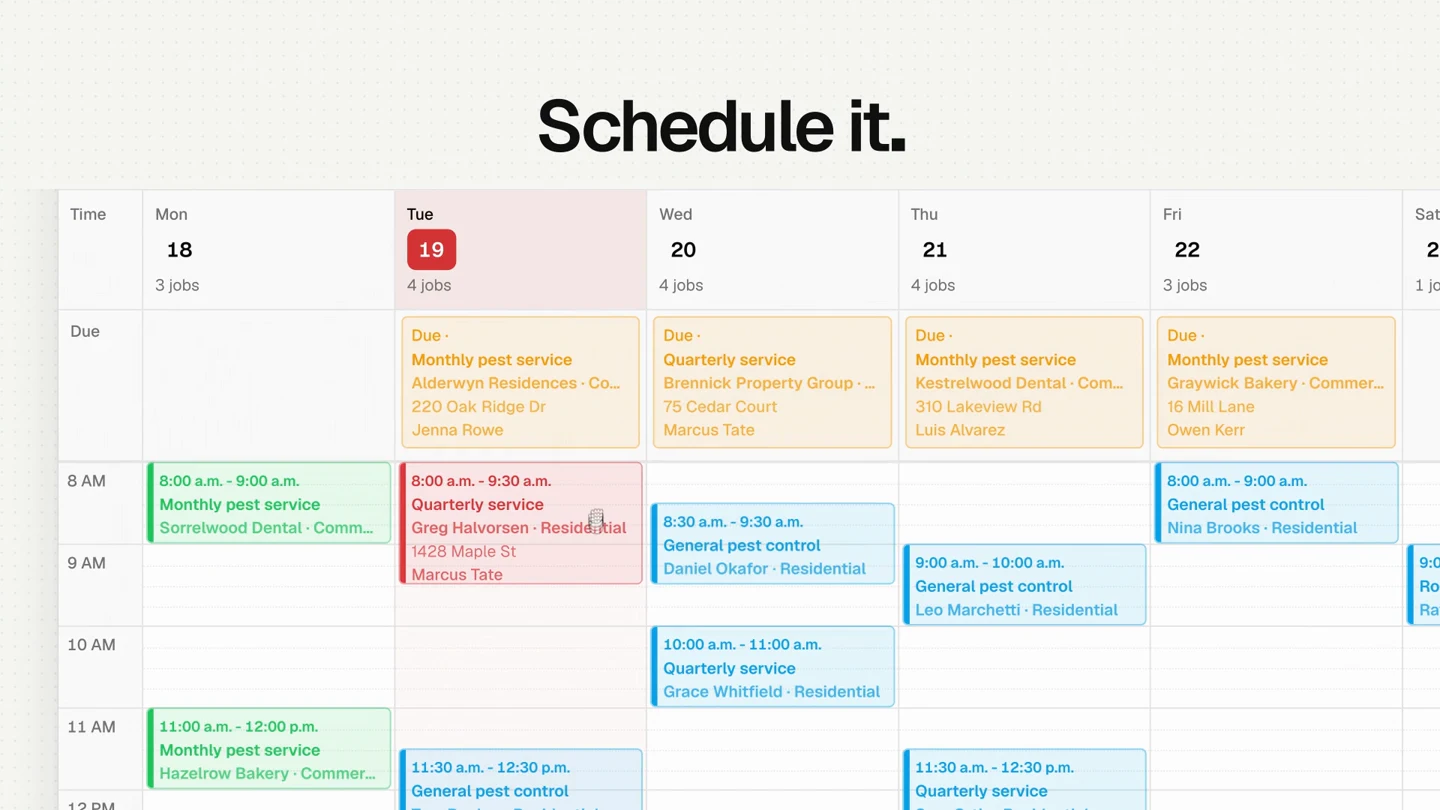 Illustrative ServOS product scene · fictional data
The technician experience
The whole visit. In your hand.
Work through units, scan devices, and record treatments from a phone. Preloaded visits support selected offline work, with pending updates visible until they sync. A connection is still needed for uncached information and unsupported actions.
- Browser-based mobile workflow
- Barcode checks, notes, and materials
- Supported offline records and synchronization
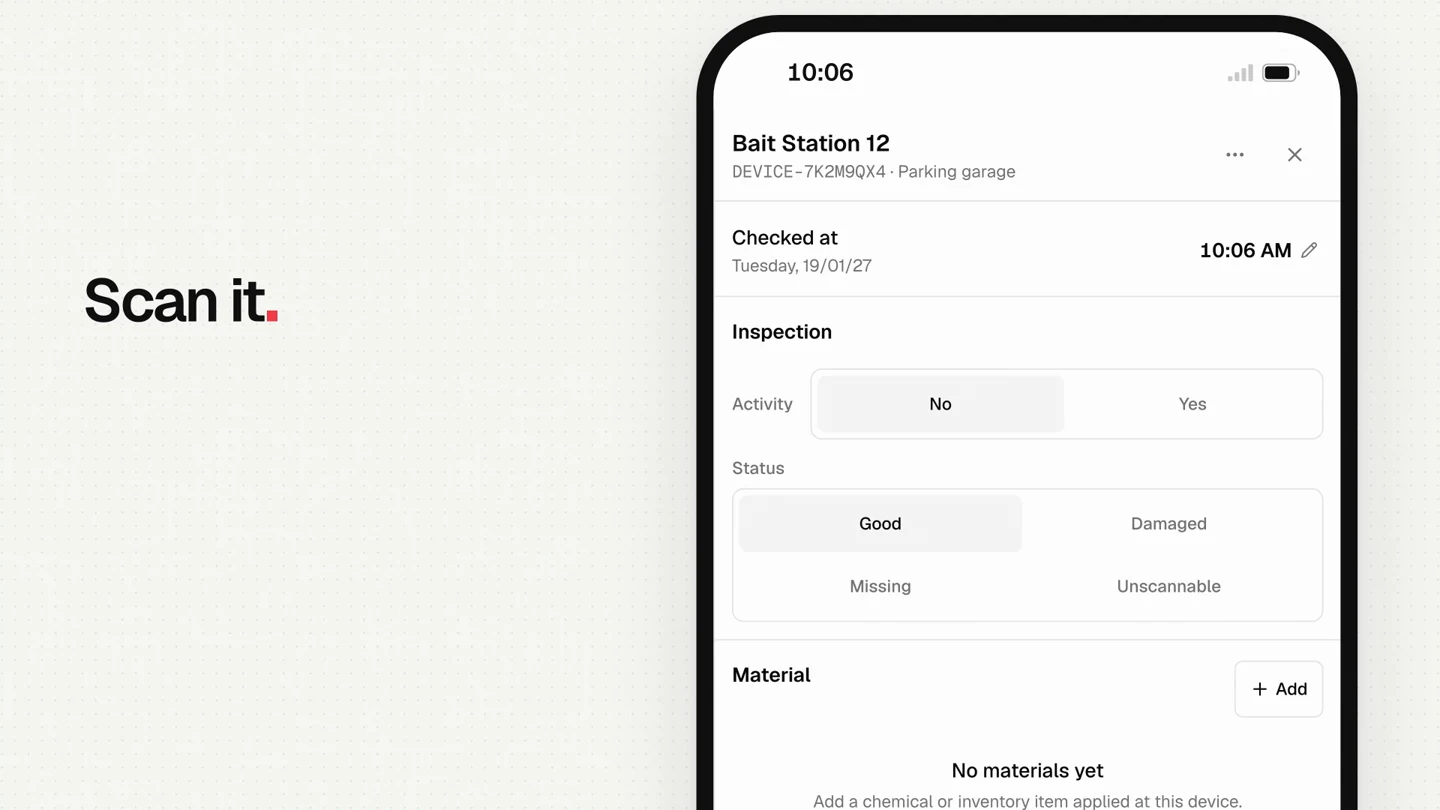 Illustrative ServOS product scene · fictional data
Work orders & service reports
The report starts in the field.
Use the work recorded during the visit to prepare a service report. Review customer-facing notes and send a clear record to the property manager.
- Visit-linked work orders
- Customer-facing service reports
- Recorded activity, treatments, and materials
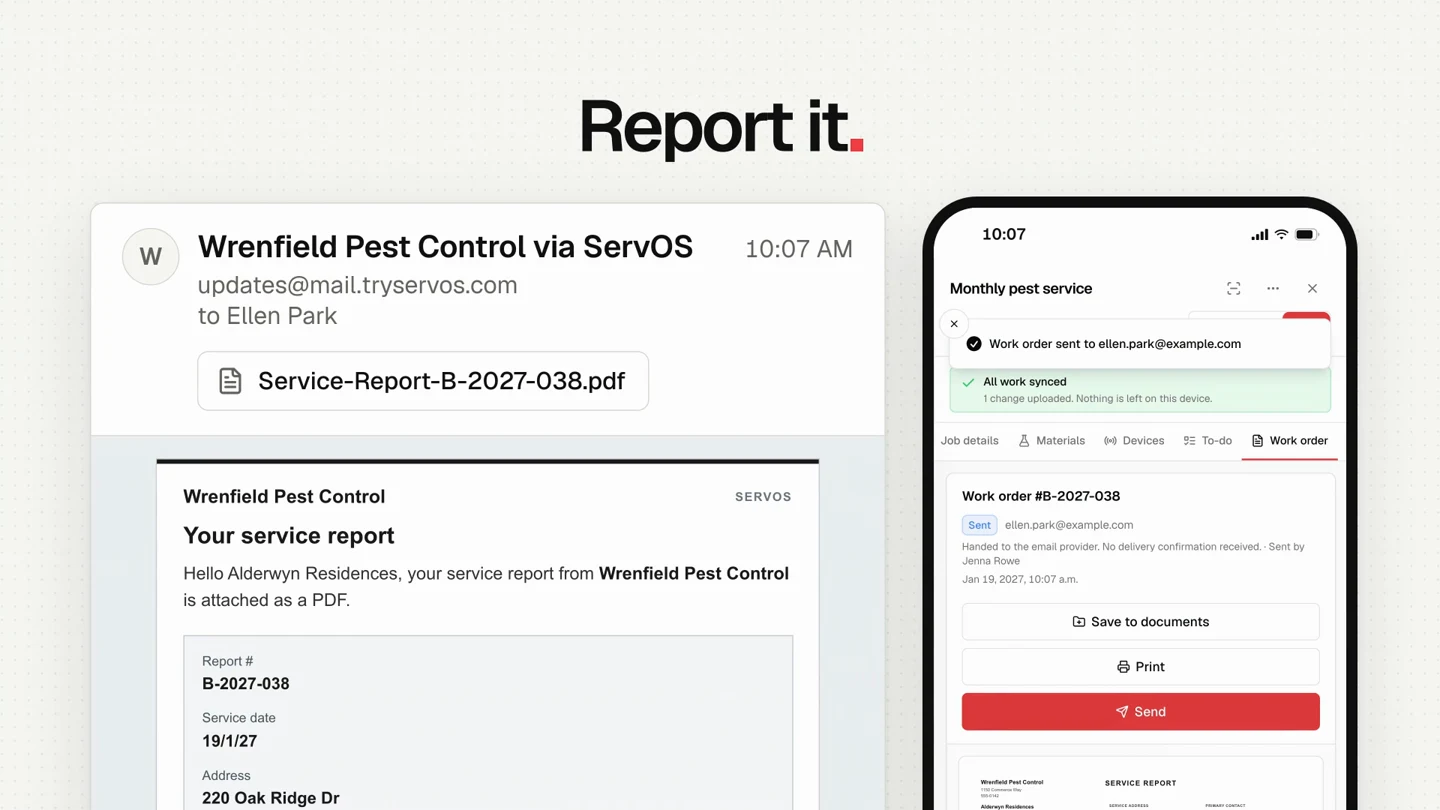 Illustrative ServOS product scene · fictional data
Invoicing & recorded payments
Keep the money tied to the work.
Bring service lines into the visit’s billing record, prepare and issue invoices, and record payments. ServOS records the transaction; online payment processing and accounting integrations are separate planned capabilities.
- Visit-linked billing and invoices
- Recorded payments and balances
- Revenue visibility
Invoice INV-1042
Alderwyn Property Group · Oct 12, 2026
Illustrative product record · fictional data
Your next chapter
Less chasing.
More knowing.
Bring your workflow. We’ll show you how it comes together in ServOS.
Book a demo